Details on demand
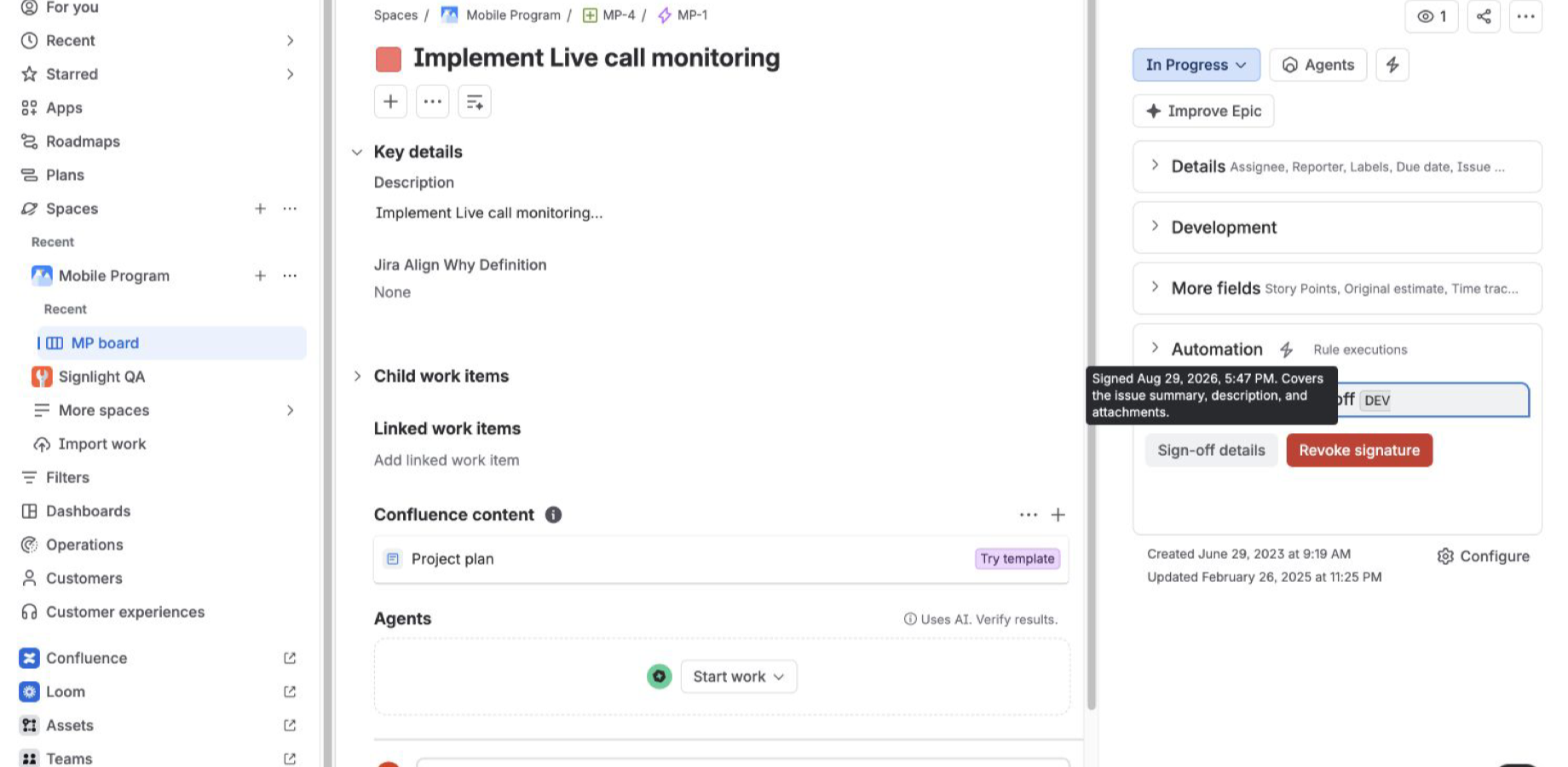
Timestamp and scope
Open the compact detail to see when and what was signed.
Content-aware issue sign-off
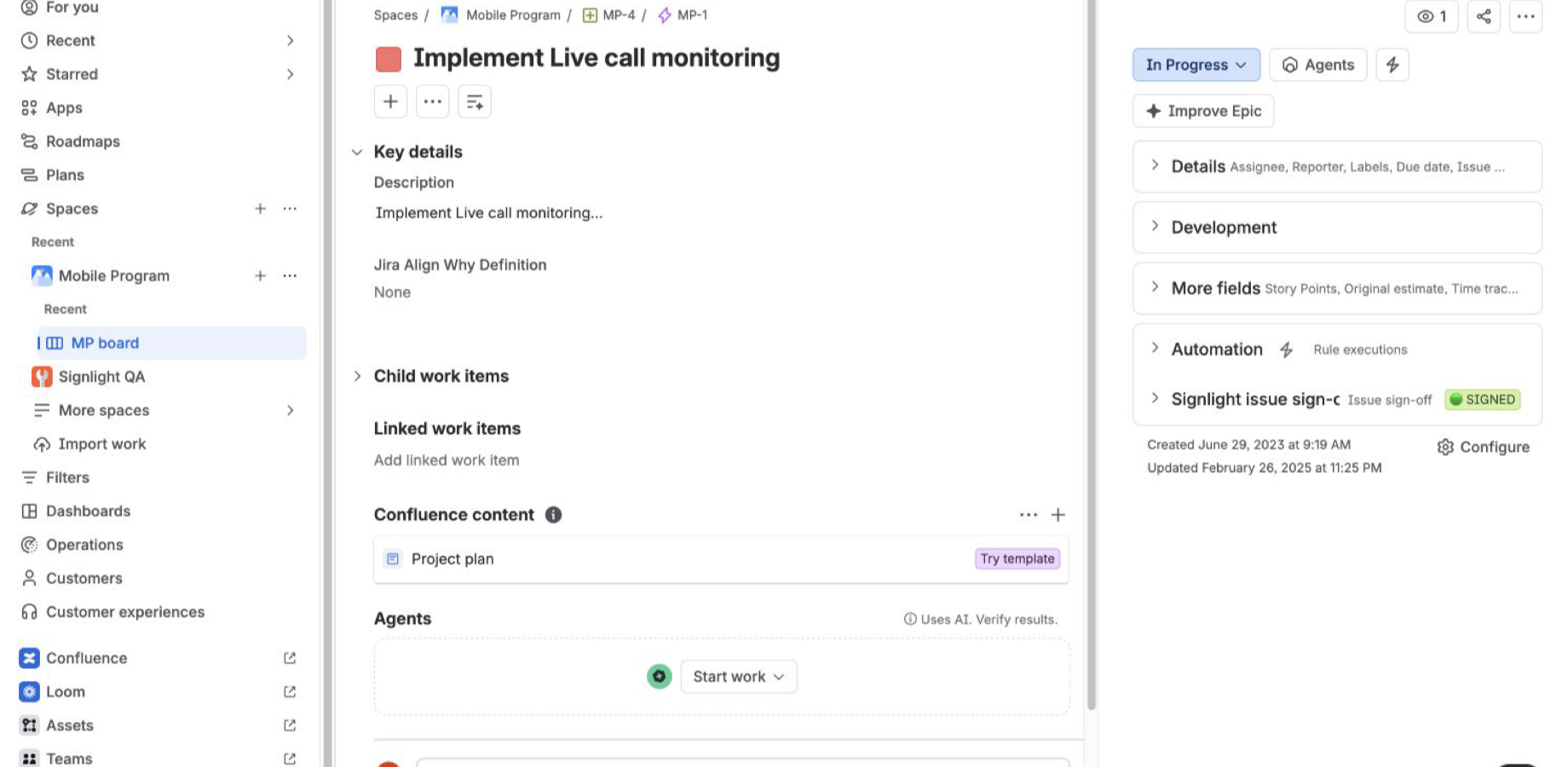
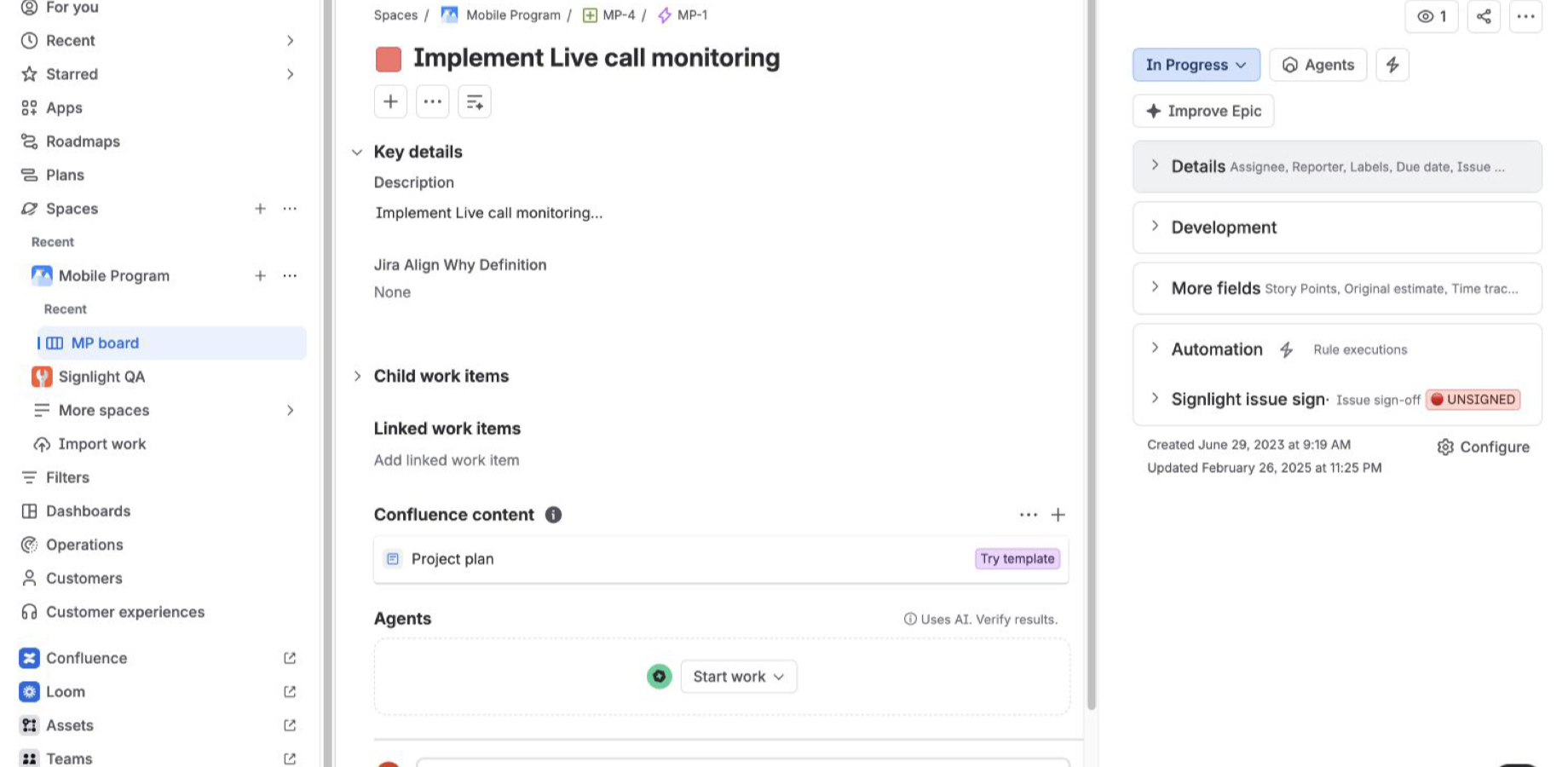
Signlight adds a simple traffic-light sign-off to Jira issues. Green means the relevant content is signed. Yellow means it changed. Red means there is no active sign-off.
Native to the issue
Sign and check the status in Jira's issue context, where the work and its supporting detail already live.
The traffic-light workflow
Signlight fingerprints the summary, description and attachment set. Routine comments and status changes do not invalidate an otherwise current sign-off.
Open the compact detail to see when and what was signed.
The active sign-off matches the issue's relevant content.
No active sign-off exists for the issue.
Small by design
Signlight is for lightweight internal acknowledgement and approval. It is not a regulated or legally binding e-signature product.
People sign with the account already logged into Jira.
Summary, description and attachments define the signed state.
Only the active signer can revoke, with a bounded audit event.
Signlight stores a fingerprint and identifiers—not issue content.
Hosted on Forge
The app runs on Atlassian Forge, uses Forge app storage and declares no external network egress. There is no separate Signlight account, password or external dashboard.
Marketplace launch
Signlight for Jira is entering Atlassian Marketplace review.